In development · waitlist open
Chain AI into flows your team runs.
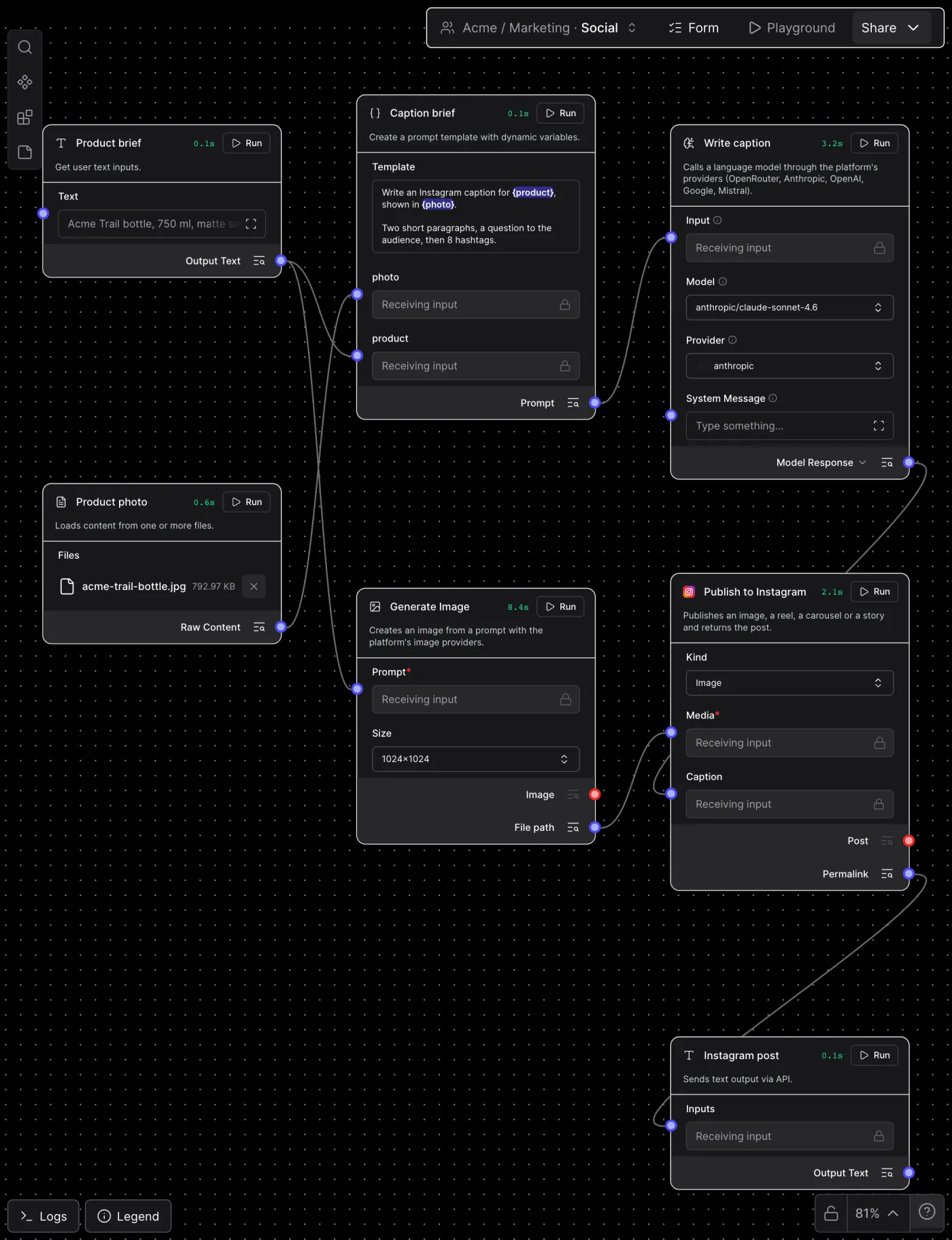
Drag blocks onto a canvas, connect them, and press run. chainz chains AI models, tools and your team's files into flows that run on a schedule or from a webhook, with the provider and model you choose.
- Text
- Image
- Video
- Audio
- 3D


01
Visual flow builder, no code
02
Text, image, video, audio and 3D
03
Schedules and webhooks
04
The team's files in one place
From canvas to report.
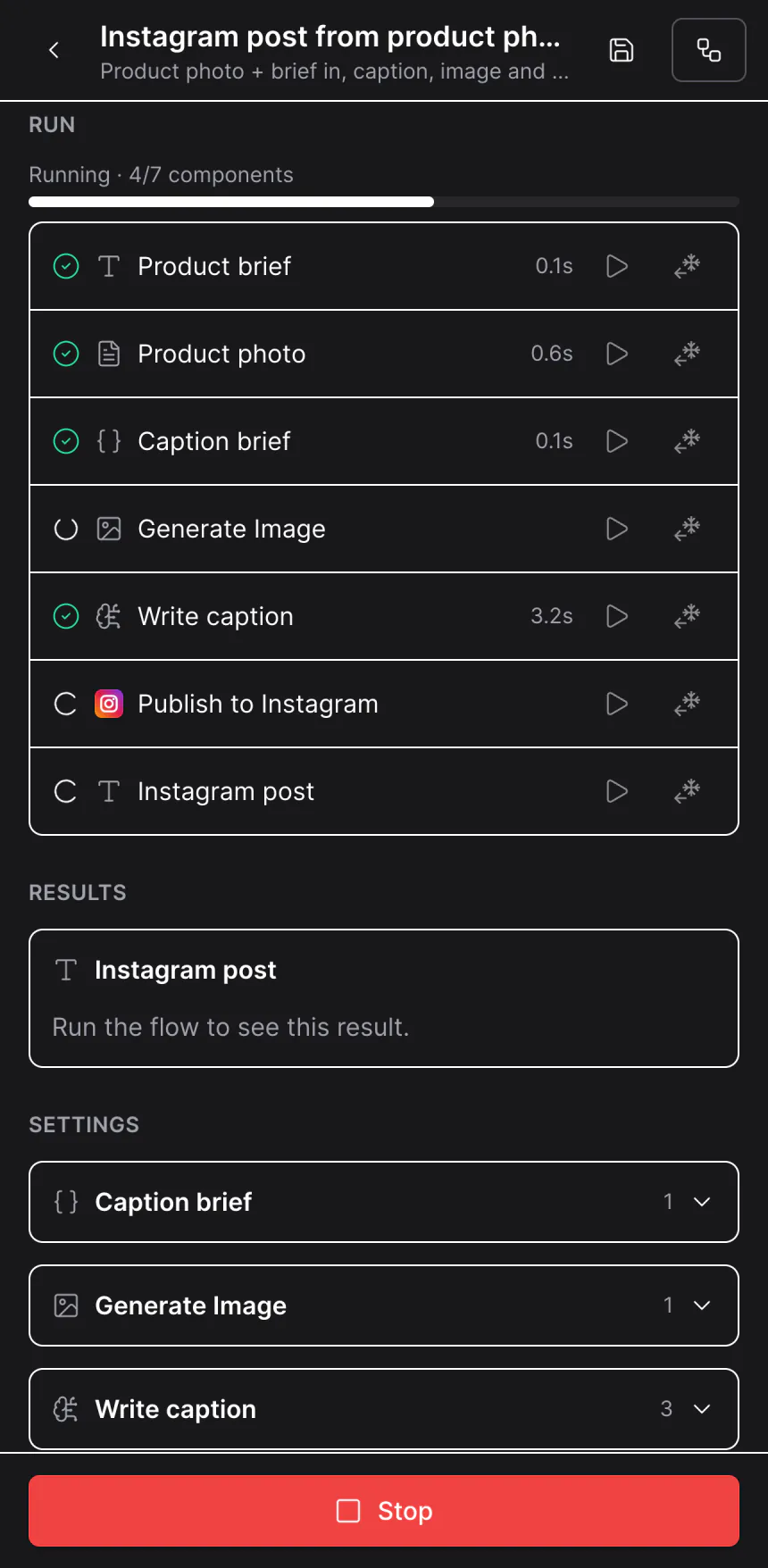
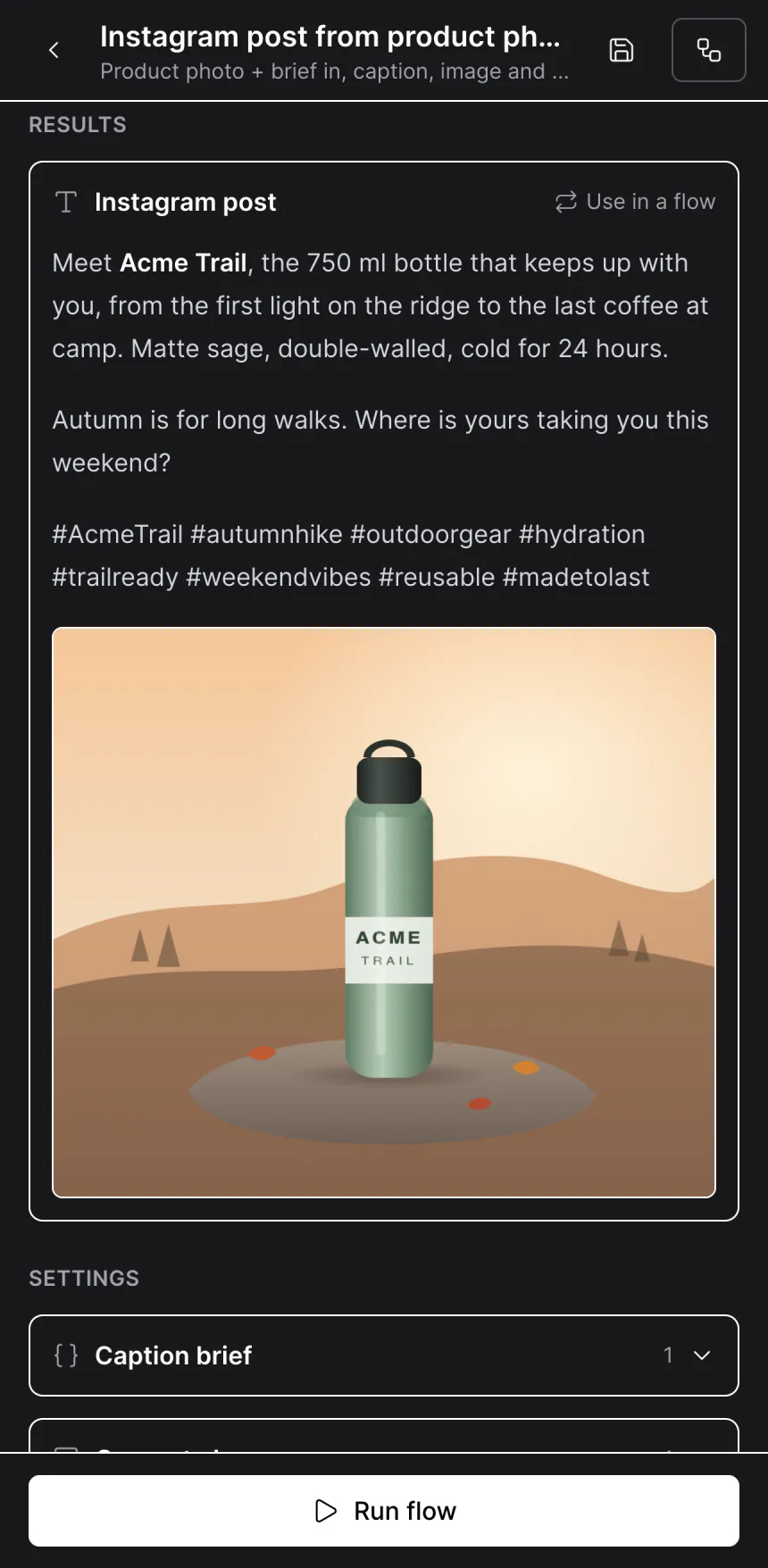
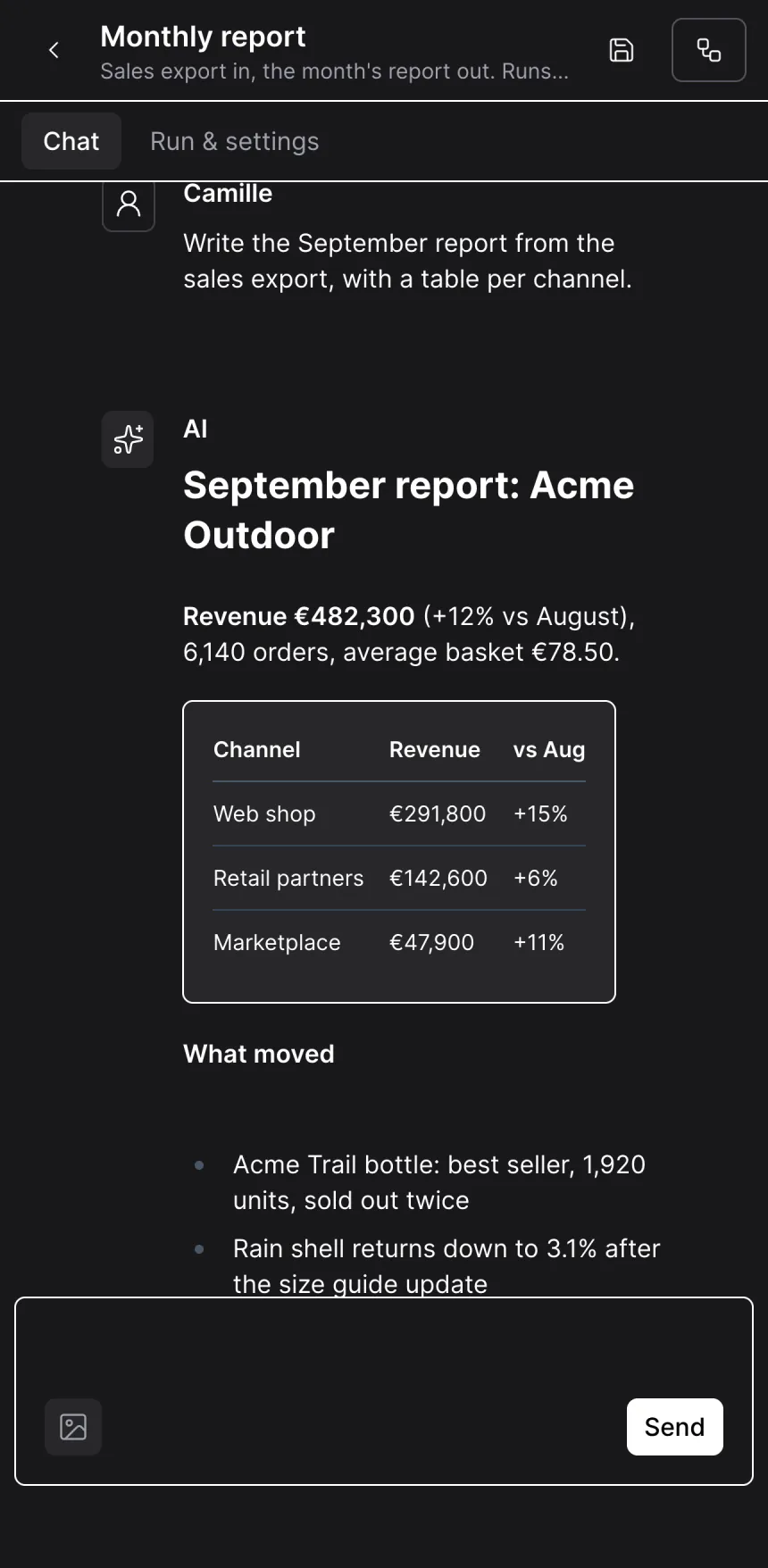
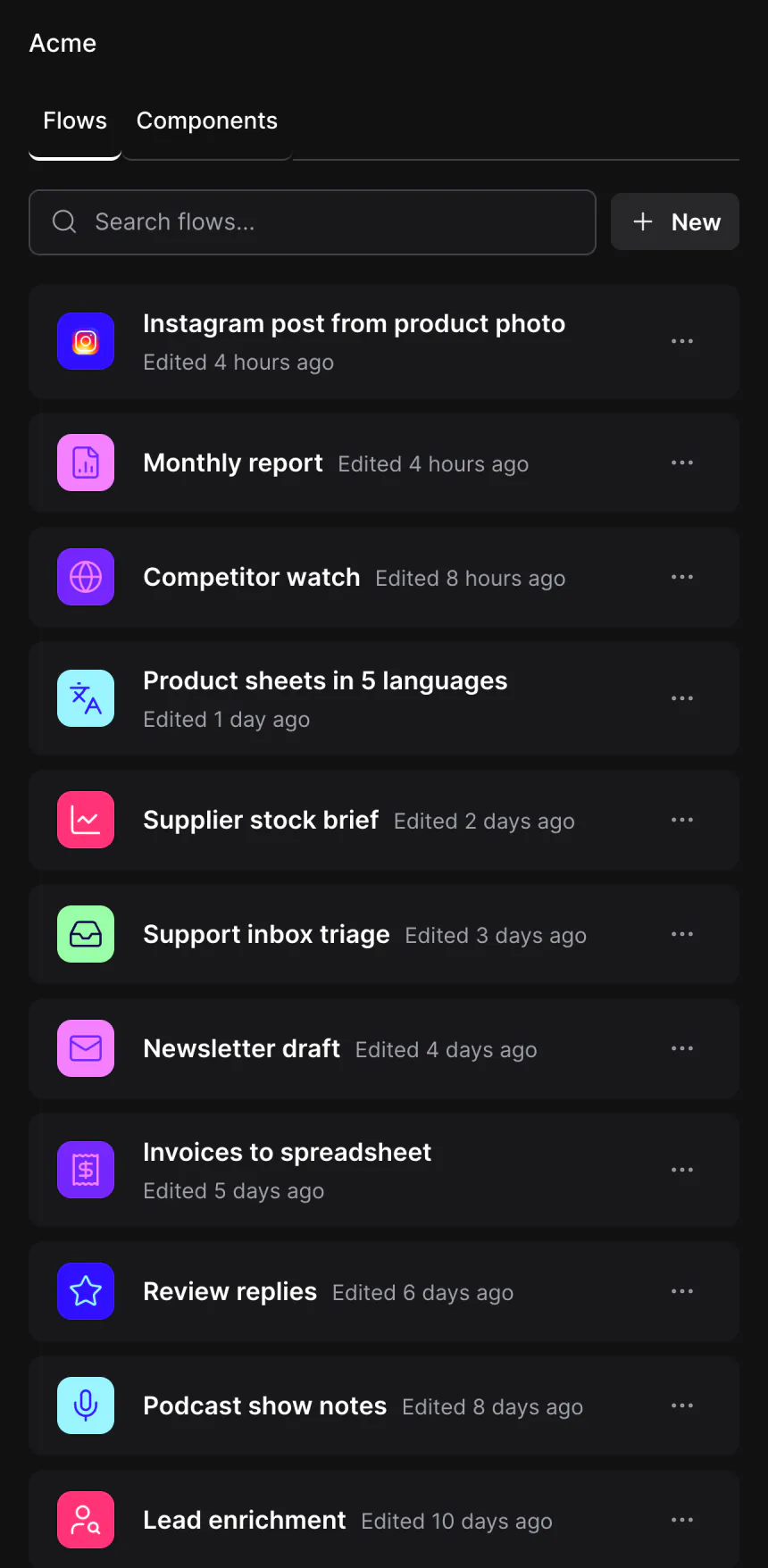
The flow a marketing team runs for each new product, and the report a manager asks for at the start of the month.
Chain AI into flows.
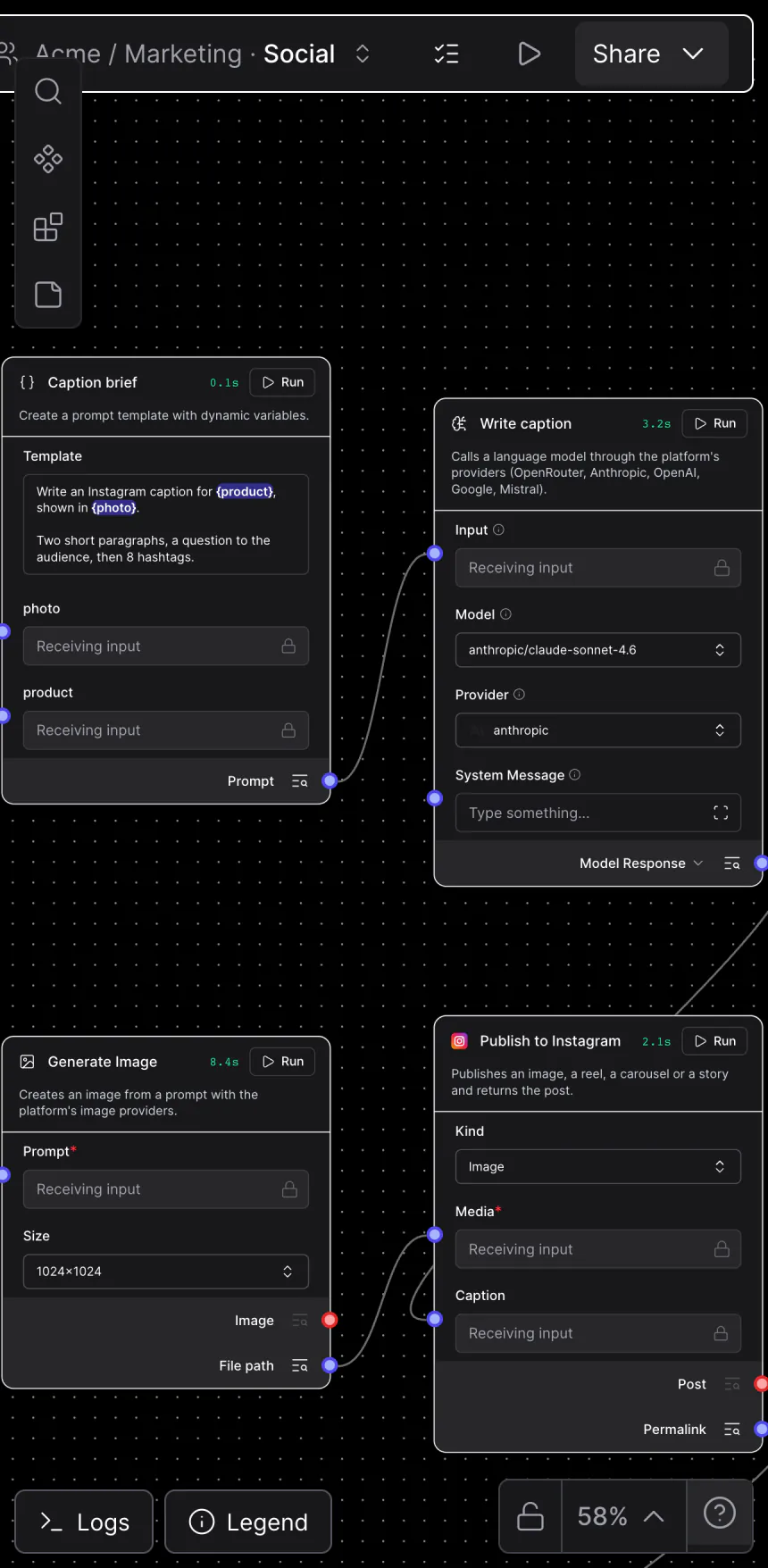
Models, tools and your team's files, block by block. Each block shows its inputs, its model and how long it took. No code.
Build it once. Let it run.
Step 01
Build
Sign in with Google, create your organisation, and chain blocks into a flow on the canvas, or save a generation setup as a workspace.
Step 02
Try
Run it in the playground, step by step, and see what each block produced.
Step 03
Run
Put it on the team calendar or start it from a webhook. It runs on its own from there.
Everything a flow needs, on one canvas.
Made for operations and back-office teams, marketing teams producing content, and small companies that want AI on their own files.
Visual flow builder
Drag blocks onto a canvas and chain them into a pipeline: inputs, AI models, tools and outputs. No code needed.
Playground
Run a flow step by step and see what each block produced before you let it run on its own.
Every kind of AI
Text, images, video, audio and 3D from one place. Pick the provider and the model, then tune its parameters.
Workspaces
Save a generation setup (content type, model, parameters) as a workspace, then run it again, duplicate it or tune it.
Schedules and webhooks
A calendar for flows that run on their own, and a webhook URL per flow to start it from any other tool.
Files
The team's files in one place, with search, recent files and a preview per type.
Start a flow from anywhere.
Every flow has its own webhook URL: post a JSON body from any other tool and the flow starts with it. Or put it on the team calendar: every morning, every Monday, on the 1st of the month.
Webhook
curl -X POST "$FLOW_WEBHOOK_URL" \
  -H "Content-Type: application/json" \
  -d '{"supplier": "Acme", "month": "2026-10"}'
- T.01Every morning
- T.02Every Monday
- T.03On the 1st of the month
- T.04When a webhook is called


Where chainz is today.
The flow builder and the file manager work; sign-in and the AI backends are being connected. No release date yet.
- R.01Agents you talk to, that act over the workspace's files and flowsnext
- R.02Team roles (admin, editor, viewer) and invitationsnext
- R.03Organisations billed per membernext
- R.04Connections to the tools your team already usesnext
- R.05chainz mobile: the dashboard, files, agents and flows, agenda and team on your phonenext
Per organisation, per member.
No price is set yet. The organisation pays; members come and go.
Team
P.01To be announced
per member, per month
One organisation and its members, on chainz.
Enterprise
P.02Contact us
For organisations with their own requirements.
Good to know.
Q.01Do I need to code?
No. Flows are built by dragging and connecting blocks. Developers can start a flow from a webhook with a JSON body.
Q.02Which AI models?
You pick a provider and a model for each workspace, for text, images, video, audio and 3D. The list grows with the providers connected at launch.
Q.03When does it open?
There is no release date yet. Join the waitlist and we write to you when chainz opens.
Q.04How is it priced?
Per organisation, per member and per month (Team), or on terms discussed together (Enterprise). Prices are not set yet.
Q.05Which account do I use?
Your Google account, through one sign-in shared by the waiyers apps. Your organisation and its members come on top of it.
In development · waitlist open
Be there when the first flows run.
chainz is in development. Join the waitlist and we write to you when it opens.